Built-in player
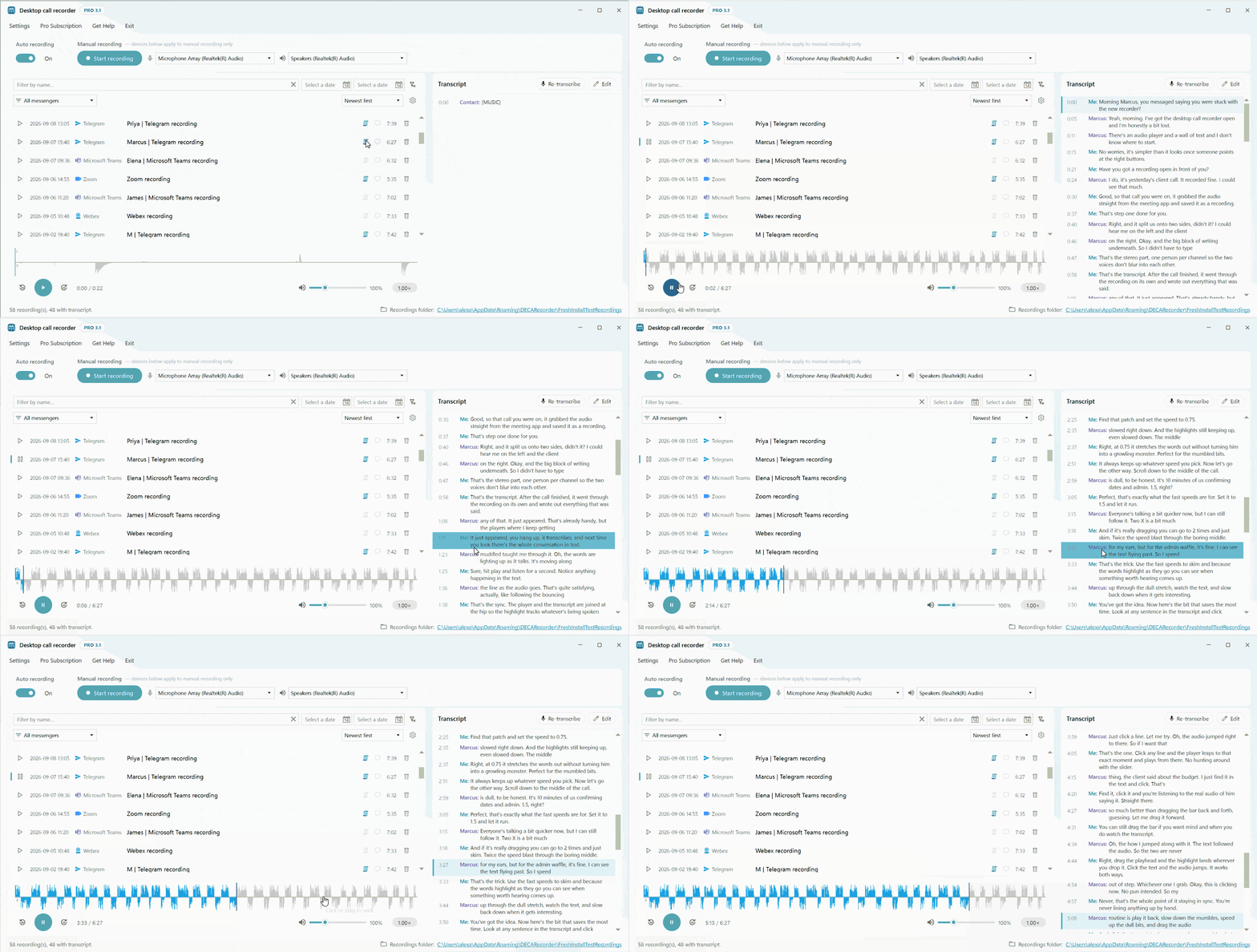
Recordings play in Desktop Call Recorder's own player, so you do not need another audio app. It has speed control, a volume boost for quiet calls, and a transcript that follows the audio.
Playing a recording
Select a recording in the list and it opens in the player. The waveform shows the whole call. Click or drag anywhere on it to jump to that point. The 30 second back and forward buttons, or the ← and → keys, skip through the call, and the time next to them shows where you are.
Two channels in one recording
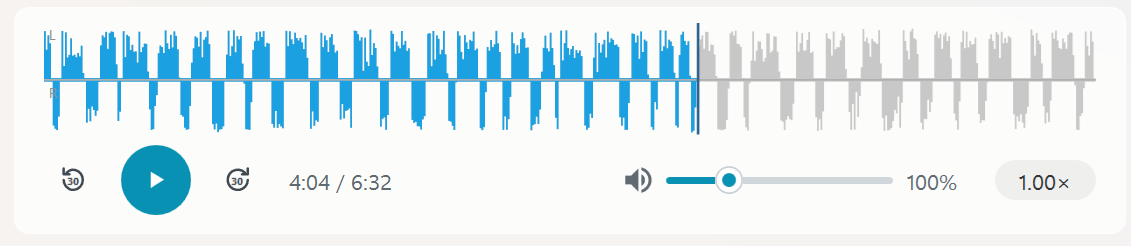
The waveform has two halves. Above the centre line is the left channel, your own voice ("Me"). Below it is the right channel, the person you spoke to. Every recording keeps the two sides of the call apart like this, and that is how the transcript knows who said what.
Speed
Playback speed goes from 0.5× to 2.0× in steps of 0.25. Pitch is kept, so voices sound normal even at double speed, and the transcript keeps up at any speed.
Volume
The volume control goes from 0% to 400%. 100% is the level the call was recorded at, and anything higher makes a quiet recording louder, with limiting so it does not distort. It is one control for the whole recording.
Mono or stereo
The Mono switch at the right of the player bar is on by default. Both voices then play in both ears, so a one ear headset plays the whole call. Turn it off to hear yourself on the left and the other person on the right. The switch changes playback only. The MP3 file, the waveform and the transcript stay stereo, and the app remembers your choice.
Playback device
Recordings play on the Windows default playback device. To play them on another device, for example on speakers while your headset stays the Windows default, choose it under Playback device in Settings, Audio settings. If that device is not connected, the player uses the Windows default and goes back to your choice once it is plugged in again.
Transcript during playback
If the recording has a transcript, it plays along. The line being spoken is highlighted and scrolls into view as the audio moves. Click any line and playback jumps to that moment.
Find a recording
Above the recordings list are a search box, two date boxes for a date range, a messenger filter and the sort order (newest first, name or messenger). The search box looks through recording names and the text of every transcript. How it works is on the search and rename page.

Delete a recording
The bin button at the end of a row deletes the recording together with its transcript files, after you confirm. If the recording is being transcribed at that moment, the transcription stops and no transcript files are written. The Delete recording button in the notification shown after a call moves the recording and its transcript files to the Recycle Bin without asking.