Automatically Record & Transcribe Calls on Windows
Never take call notes again. Desktop Call Recorder records Zoom, Teams, Meet, WhatsApp and 10+ more apps automatically, turns every conversation into readable text, and lets you click any sentence to hear that exact moment. Everything stays on your PC.

Record → Transcribe → Read
1 · Record
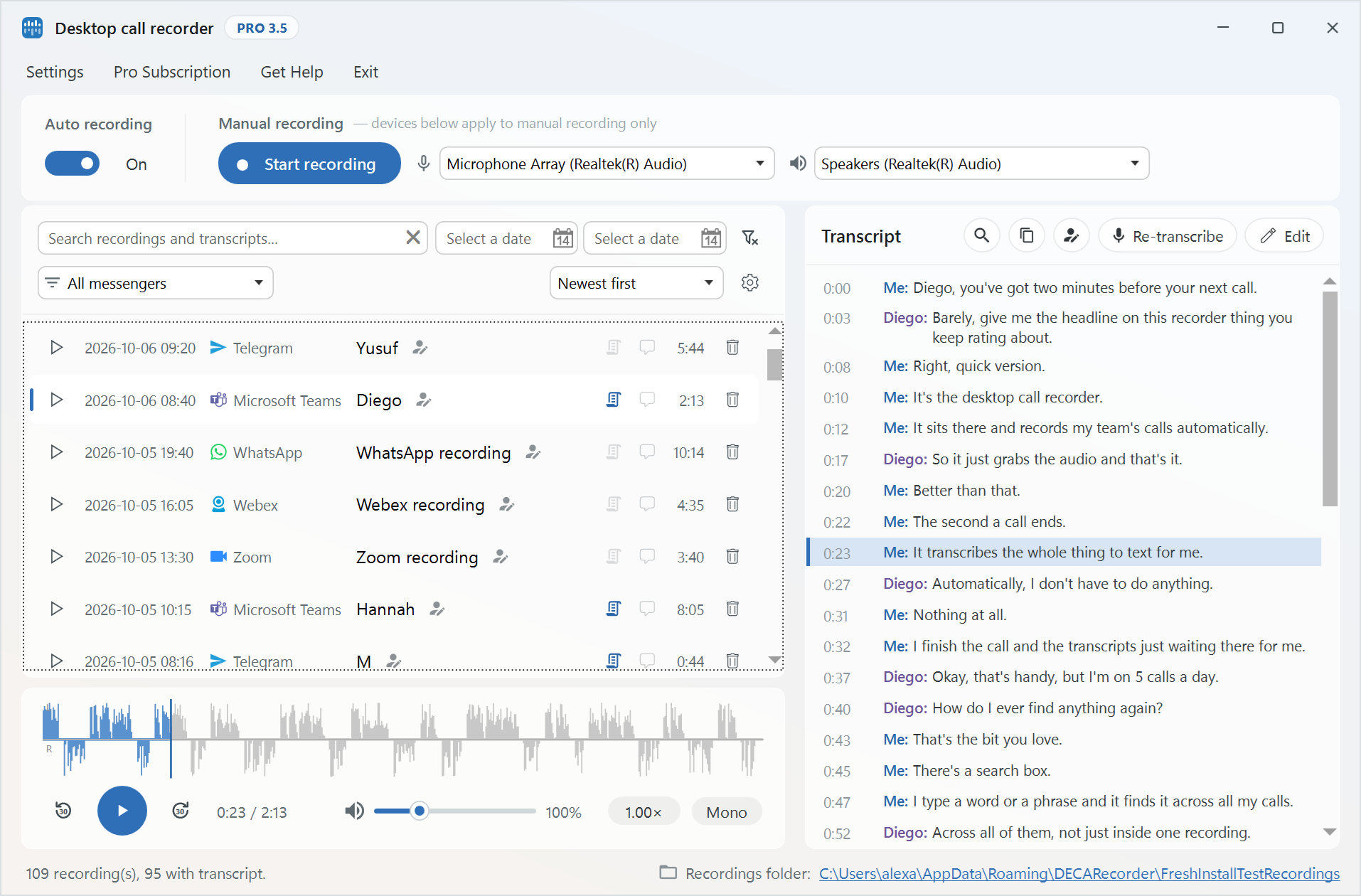
Recording starts and stops with your calls automatically — on 14+ platforms, no buttons to remember.
2 · Transcribe
Right after the call ends, the recording becomes readable text — processed entirely on your PC.
3 · Revisit
Read the conversation, click any sentence, and hear that exact moment in the recording.
Don't listen to a 45-minute call to find one sentence
Read the conversation instead. Skim the transcript for the price, the name or the decision — then click that line and hear it in the speaker's own words.
Synced transcript
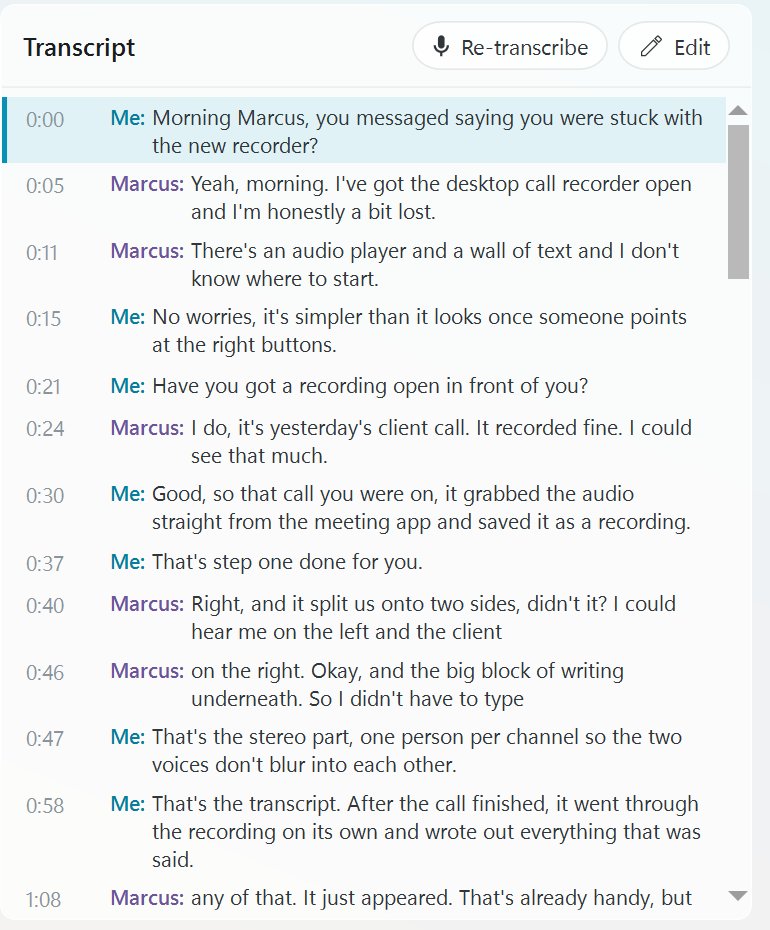
The text follows the audio like subtitles.
Click to jump
Click any sentence to play that exact moment.
Speed control
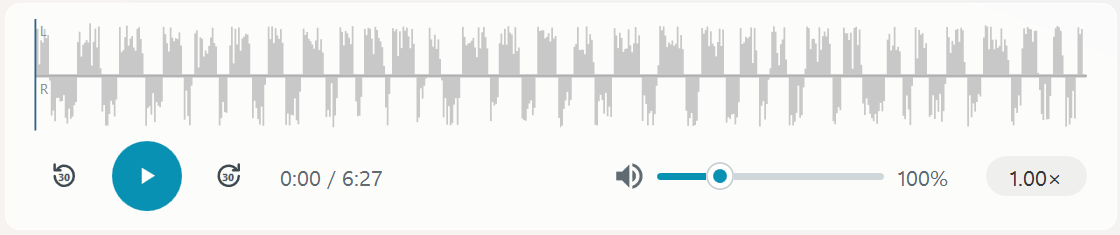
Review calls at 0.5× to 2×, in 0.25 steps.
Speakers apart
Your side and your contact's side are kept separate, so you always see who said what.
Original audio
The MP3 recording is always there when you need it.
Your calls don't need to leave your computer
Desktop Call Recorder stores your recordings locally — and transcription runs on your PC too.
Nothing leaves your machine
Private business conversations are never uploaded to an external transcription service.
AI transcription without the cloud
Transcripts are generated on your computer — not on someone else's servers.
Your conversations. Your computer.
No account, no upload, no third party.
One recorder. All your calling apps.
Automatic recording for 14+ communication apps
No bot joins your meetings
No meeting invitation. No awkward “Recorder has joined the call”.
Direct capture
Desktop Call Recorder captures audio directly on your Windows computer — nothing joins the call.
Quiet by design
It works in the background across your calling apps; the other side simply sees you.
Remember what was said — without replaying everything
Four everyday moments where the transcript does the remembering for you.
Customer calls
“What price did we promise them?” Skim the transcript, click the line, and hear the exact wording of the offer.
Project meetings
Check the agreed deadline by reading the conversation — not by re-listening to an hour of audio.
Interviews
Review an hour-long interview in minutes by reading it, jumping into the audio only where it matters.
Training
Go straight to the objections, questions and answers by clicking them in the transcript — no more scrubbing through recordings.
Everything you need to capture and review calls
Automatic Recording
Starts and stops with your calls — no buttons to remember.
Automatic Transcription
Every recording becomes a readable conversation, without extra work.
Synced Playback
The transcript follows the audio like subtitles — click text to jump.
Playback Speed
Review long calls at 0.5× to 2× speed, in 0.25 steps.
Private by Design
Recording and transcription both run locally. Nothing is uploaded.
Standard Files
Recordings as MP3, transcripts as text — yours to keep, move or archive.
Free Version vs Pro Subscription
Upgrade to Pro for unlimited recordings and advanced features
- 30 calls per month
- All recording features
- Transcription up to 3 minutes per call
- MP3 + transcript stored locally
- 14+ platforms supported
- Unlimited recordings
- Full-call transcription
- All recording features
- MP3 + transcript stored locally
- 14+ platforms supported
- Stealth recording
- Recorder UI password protection