Windows 10 & 11 · Free version available

Automatic Call
Recording for
Windows

Records Zoom, Teams, Meet, WhatsApp and 14+ more platforms the moment a call starts — no clicks required. Everything stays on your computer.

Works with 14+ platforms
ZoomMicrosoft TeamsWhatsAppSlackTelegramFacebook MessengerGoogle VoiceWebexGoogle Meet+ more

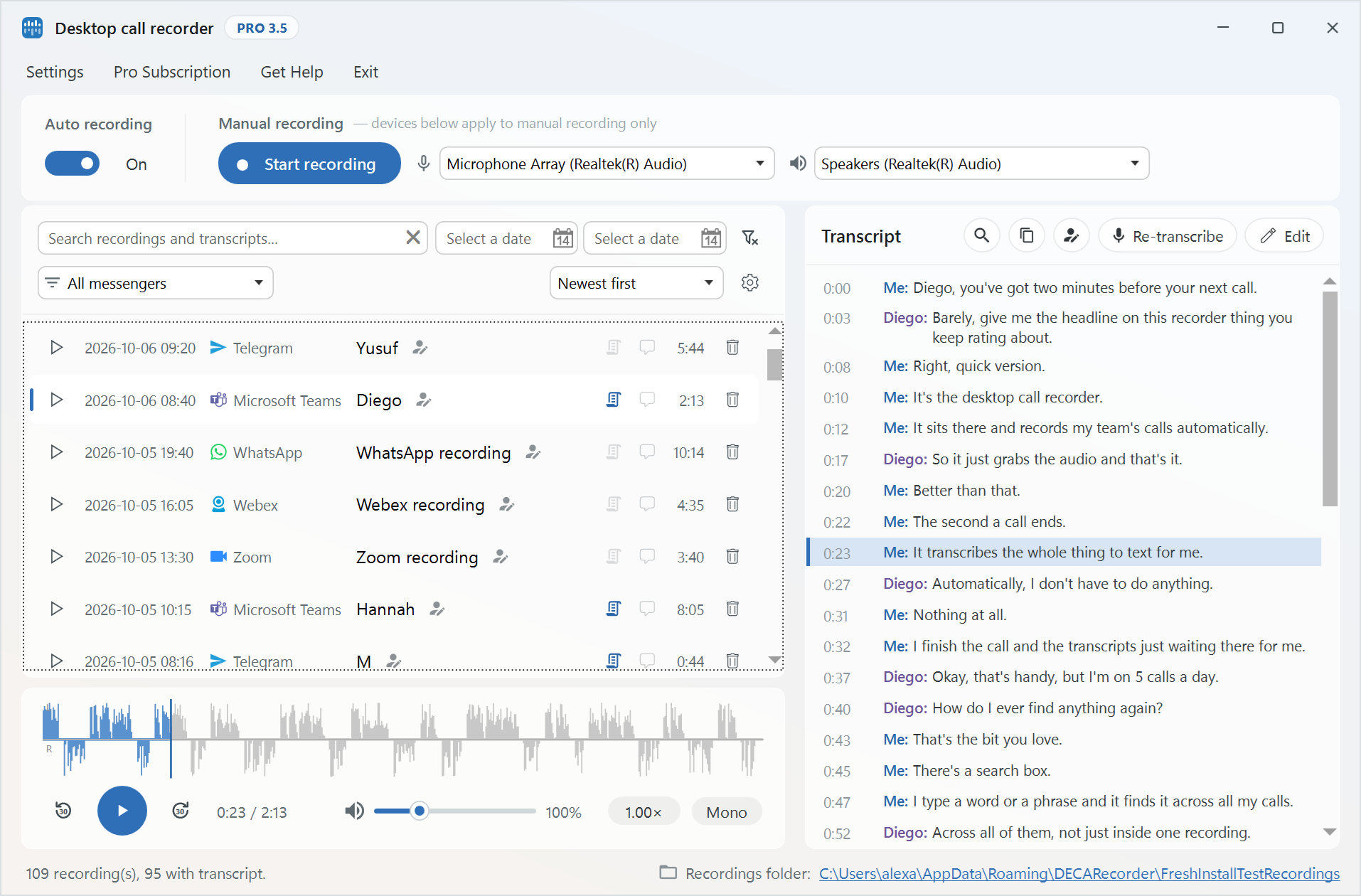
Auto recording
Zoom
Today, 14:32
42 min
● REC
Microsoft Teams
Today, 11:05
18 min
MP3
WhatsApp
Yesterday, 16:48
7 min
MP3
Slack
Yesterday, 10:20
55 min
MP3
Telegram
Mon, 09:14
12 min
MP3
247 recordings this monthOpen recordings folder →
Built for Windows

Everything you need, nothing you don’t

Simple, reliable, private. Works quietly in the background while you focus on the call.

100% Private

Nothing uploaded to the cloud. Recordings stay on your computer — yours alone.

One-Click Install

Download, run, done. No complex setup. Starts working immediately after a simple installer.

Saves as MP3

Standard MP3 files — easy to share, archive, or play on any device. No proprietary formats.

Always-On Auto Mode

Enable once and forget. Detects calls on any supported platform and starts recording automatically.

Works in Background

Minimises to system tray and records silently. Stealth mode available in Pro.

Detailed Call Log

Browse, playback, and manage all recordings.

Why it matters

Why Call Recording is Essential

Whether you're running a small business, managing a remote team, or just trying to keep track of important conversations, call recording has become a practical necessity rather than a luxury.

01

Keep Accurate Records

Relying on handwritten notes during a call means you're half-listening. With recordings, you capture everything exactly as it was said — no misunderstandings, no "I thought you said..." moments.

02

Protect Yourself in Disputes

When a client claims they never approved something, or a contractor says they were given different instructions, a recording ends the argument instantly. It's not about distrust — it's about having clarity.

03

Train Your Team More Effectively

New staff can listen to real calls instead of role-playing exercises. There's no better training material than actual conversations with real customers.

04

Stay on Top of Compliance

Many industries require call records for regulatory reasons — finance, insurance, legal, healthcare. Having recordings automatically stored locally means you're covered without relying on third-party services.

05

Work Without Distractions

When you know the call is being recorded, you can focus on the conversation rather than frantically scribbling notes. Review the details later at your own pace.

Compatibility

Built to Record Calls on All Major Platforms

Automatic recording for 14+ communication apps

ZoomZoom
Microsoft TeamsMicrosoft Teams
WhatsAppWhatsApp
SlackSlack
TelegramTelegram
Facebook MessengerFacebook Messenger
Google VoiceGoogle Voice
WebexWebex
Google MeetGoogle Meet
LINELINE
ViberViber
SignalSignal
DiscordDiscord
More Supported AppsMore Supported Apps
Plans

Free Version vs Pro Subscription

Upgrade to Pro for unlimited recordings and advanced features

Free Version
Perfect for personal use and occasional recording needs
  • 30 calls per month
  • All recording features
  • MP3 format
  • Local storage
  • 14+ platforms supported
Download FreeNo credit card required
Most Popular
Pro Subscription
For professionals and businesses who record calls daily
  • Unlimited recordings
  • All recording features
  • MP3 format
  • Local storage
  • 14+ platforms supported
  • Stealth recording
  • Recorder UI password protection
Upgrade to ProCancel anytime

Ready to Start Recording?

Download Desktop Call Recorder and never miss an important call again.

Download FreeWindows 10/11